Admin → Delivery sets whether you deliver, how far, what you charge, how drivers check ID, and the hours you take delivery orders.
A step-by-step walkthrough with real screenshots · FoolProof POS for alcohol retail
Steps
Open Admin and click Delivery.
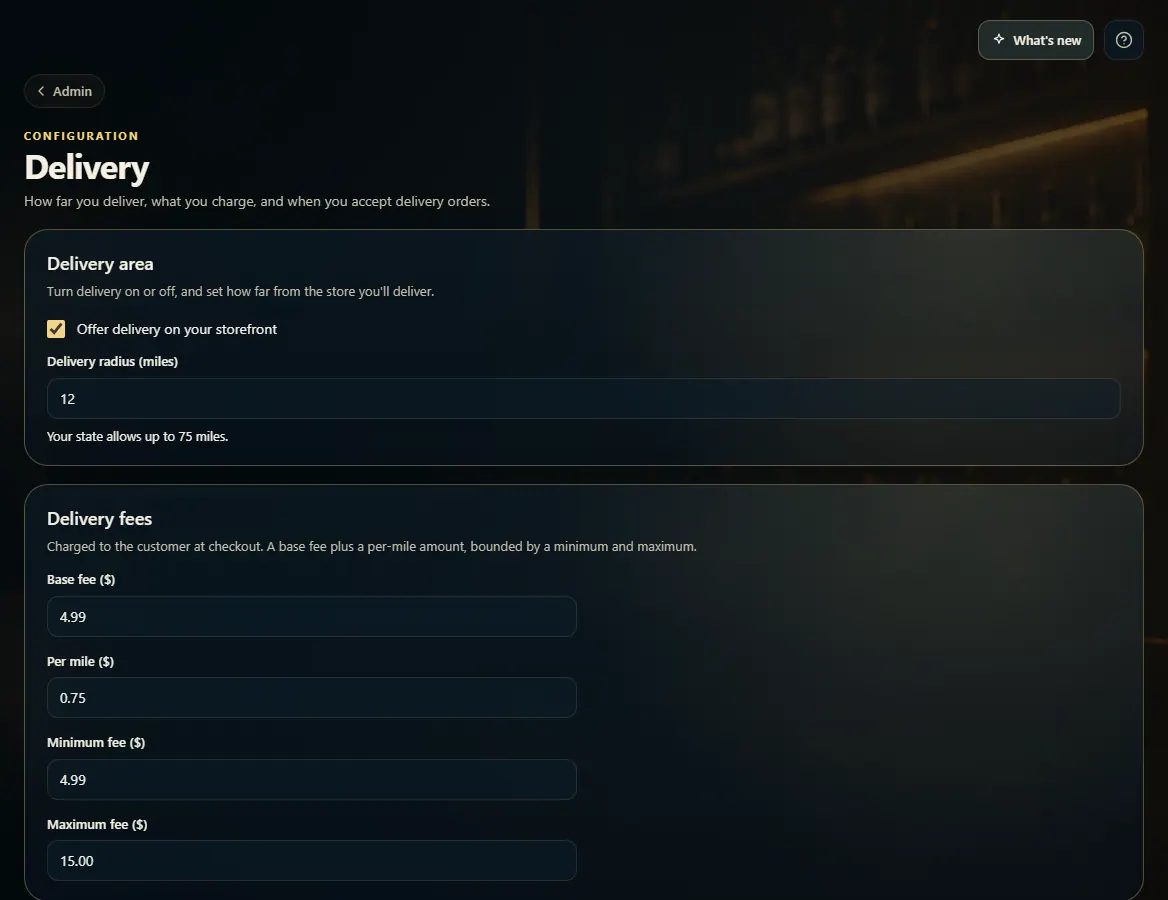
Under Delivery area, tick Offer delivery on your storefront and set the Delivery radius (miles) — it can't go past Alabama's 75-mile limit.
Under Delivery fees, set the Base fee, Per mile amount, and the Minimum and Maximum fee.
Under At the door, choose the Door ID check and how long a driver has to accept an offer.
Tick Limit delivery hours to stop taking delivery orders before you close, and set times for each day.
Click Save delivery settings.
Good to know
Delivery hours are on top of your legal sale hours — those always apply.
Online ordering on storefronts is off by default and is switched on by FoolProof. Until then shoppers can browse your storefront but can't check out; orders you take by phone still work.
Scan the ID at the door is recommended: the scan must show 21+, an unexpired ID, and a name that matches the order.
Keep drivers' detailed GPS route for sets how long a finished delivery's route is kept (90 days unless you change it). After that only where it started and ended is kept, with the rest of the delivery record for three years. Drivers see this in a notice the first time they open the driver app, and accept it.
1. Area and fees
Turn delivery on, set how far you go, and set the fee the customer pays at checkout.
123
1Turn delivery on or off.
2How far you deliver.
3Base fee, per mile, minimum, and maximum.
2. At the door and delivery hours
Choose how drivers prove the customer is 21+, how long they have to accept an offer, and when you take delivery orders. Then Save delivery settings.
 123
123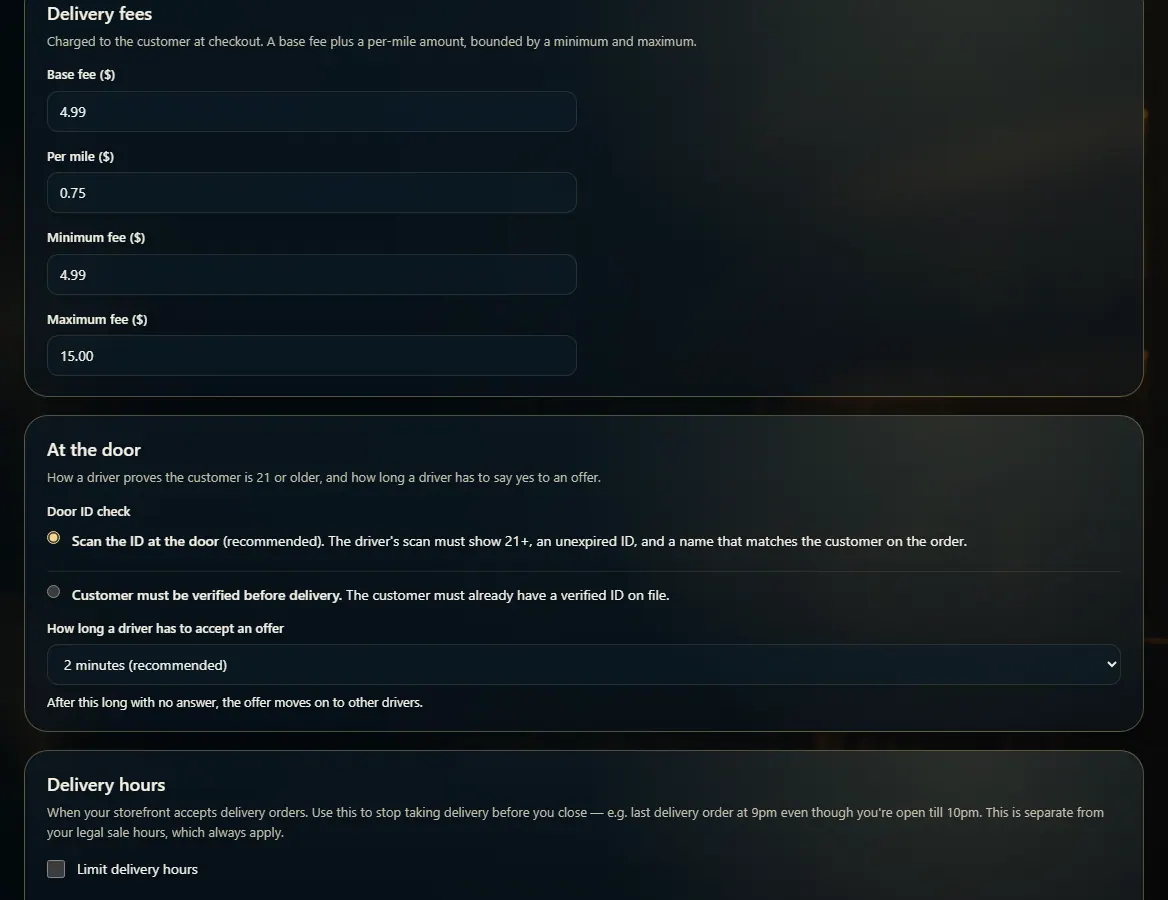 12
12