Admin → New Sale sets the cash drawer rules, default tender, ID checks, payment layout, Register mode, quotes, layaway, customer lookup, category chips and loyalty sign-up.
A step-by-step walkthrough with real screenshots · FoolProof POS for alcohol retail
Steps
Open Admin and choose New Sale.
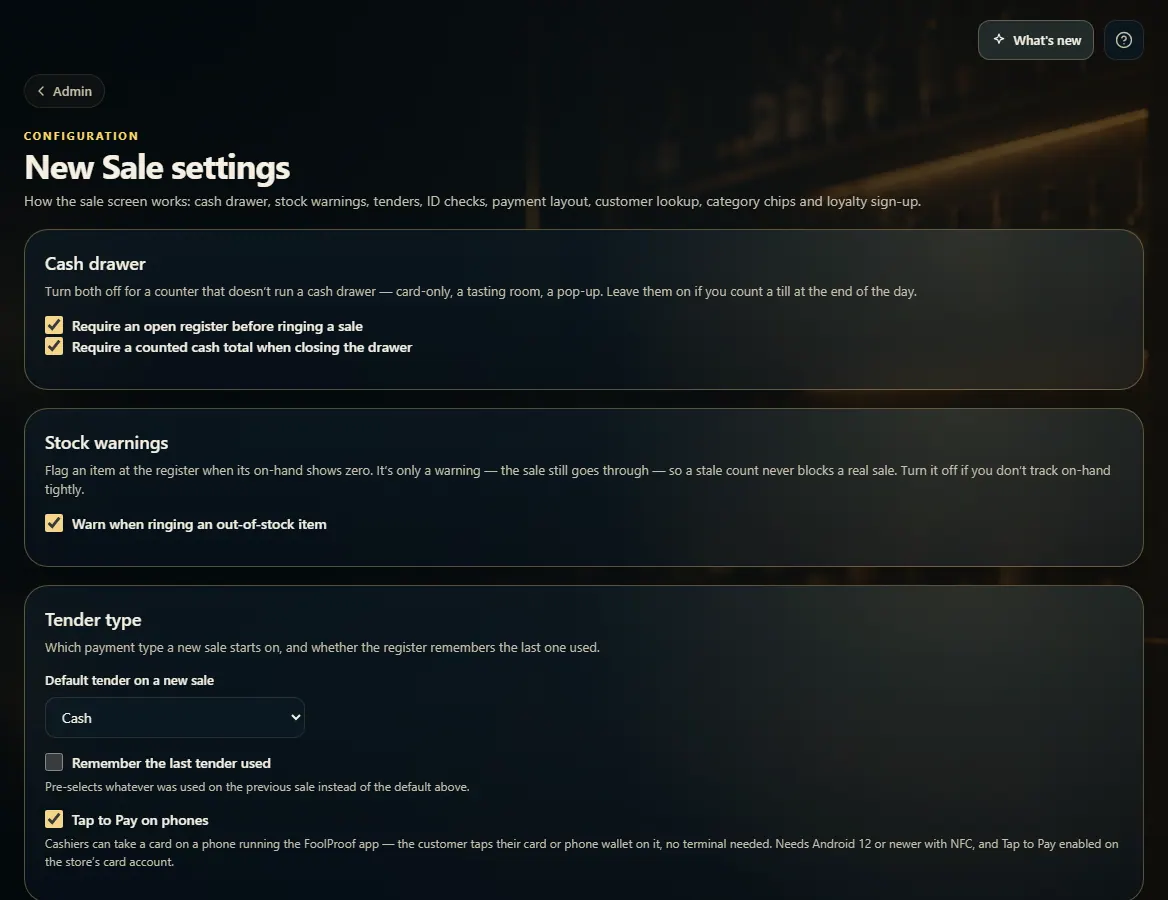
Cash drawer: whether a sale needs an open register, and whether closing needs a counted cash total.
Tender type: the payment a new sale starts on, and whether to remember the last one used.
ID scan age check follows your state's default (on in Alabama) until you change it. Turn on Register mode, Quotes or Layaway (if FoolProof has turned layaway on for your store) if you use them.
Payment layout: a Pay screen, or One screen with payment under the cart.
Most switches save as soon as you change them; Category quick-picks and Loyalty have their own Save buttons.
Good to know
With "Require an open register" off, card sales ring with no drawer open; refunds, voids, pay-ins and payouts still need one.
A setting with a lock note is managed by FoolProof for your store.
Loyalty sign-up only asks for an email or phone number — there are no points or rewards, because Alabama bars giving customers anything of value to induce an alcohol purchase.
 123
123