With ID scanning on, scan the barcode on the back of the license — New Sale asks for it on age-restricted sales, and Check ID lets you scan any time.
A step-by-step walkthrough with real screenshots · FoolProof POS for alcohol retail
Steps
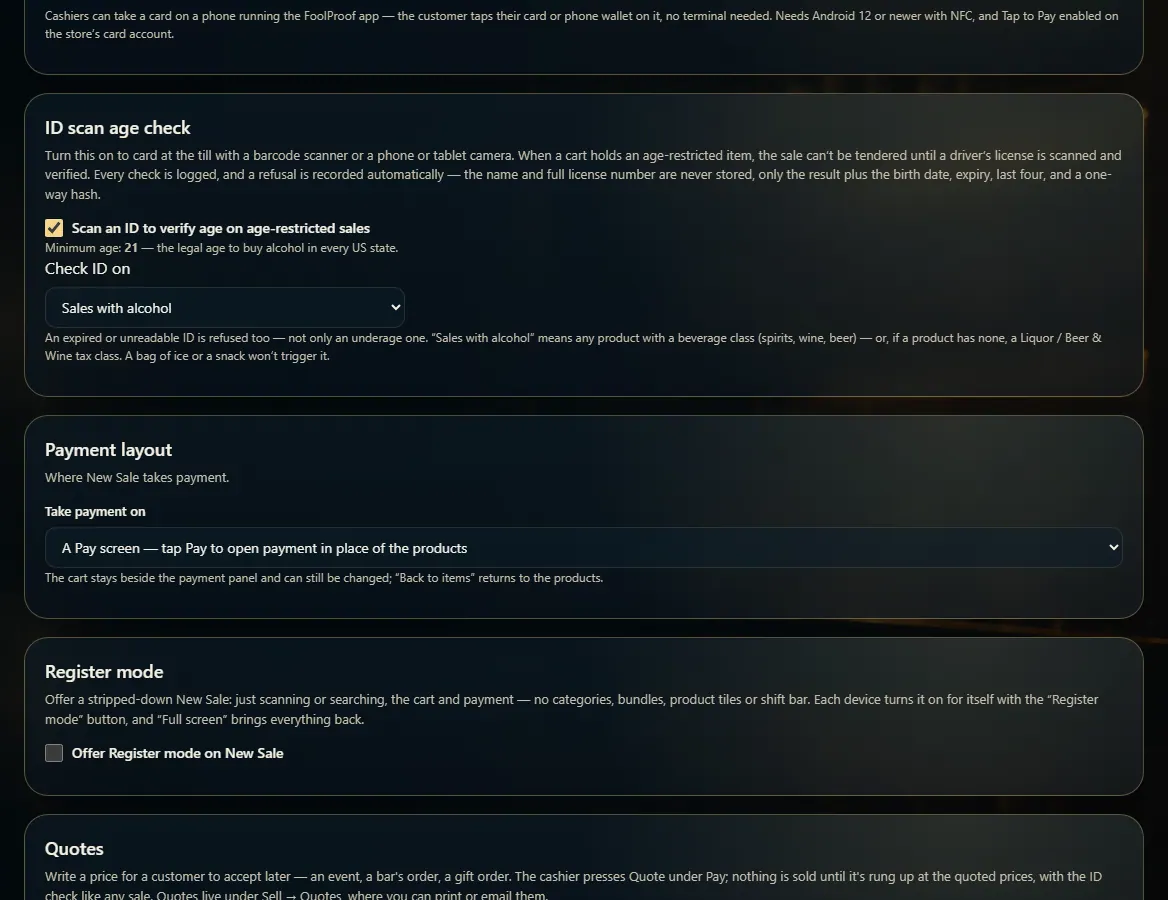
ID scanning is on by default for Alabama stores. Its settings are in Admin → New Sale settings → ID scan age check.
Choose Check ID on: Sales with alcohol, or Every sale.
At New Sale, a cart with an age-restricted item asks for the ID before it can be paid.
To check any time, press Check ID next to the search box.
Scan the barcode on the back of the license with the scanner — it checks on its own. No scanner? Press Use camera and hold the back of the license up to it: the camera reads the barcode by itself and checks it, no button to press.
Good to know
Minimum age is 21 and can't be changed. An expired or unreadable ID is refused too.
Every check is logged and a refusal is recorded automatically. The name and full license number are never stored.
A pass from Check ID counts for the sale you're ringing.
Camera tips: line up the long barcode on the BACK of the license inside the frame, fill most of the screen with it, and tilt away from glare. Turn on Light in a dim spot.
If the camera hasn't read it after a few seconds, Can't scan this ID appears. Try the USB scanner, or Enter ID by hand for an ID with no barcode — otherwise refuse the sale. There is no photo option.
The camera reads the barcode on the device; only the barcode's text is checked, the same as a scanner's. No picture of the license is taken, sent or kept.
1. Turn ID scanning on
In Admin → New Sale settings, the ID scan age check card (on by default in Alabama) sets which sales need it.
12
1Turn ID scanning on.
2Alcohol sales, or every sale.
2. Scan the license
Check ID opens the scan box. Scan the back of the license with a scanner, or press Use camera and hold the barcode on the back up to it — it reads and checks the ID on its own.
 12
12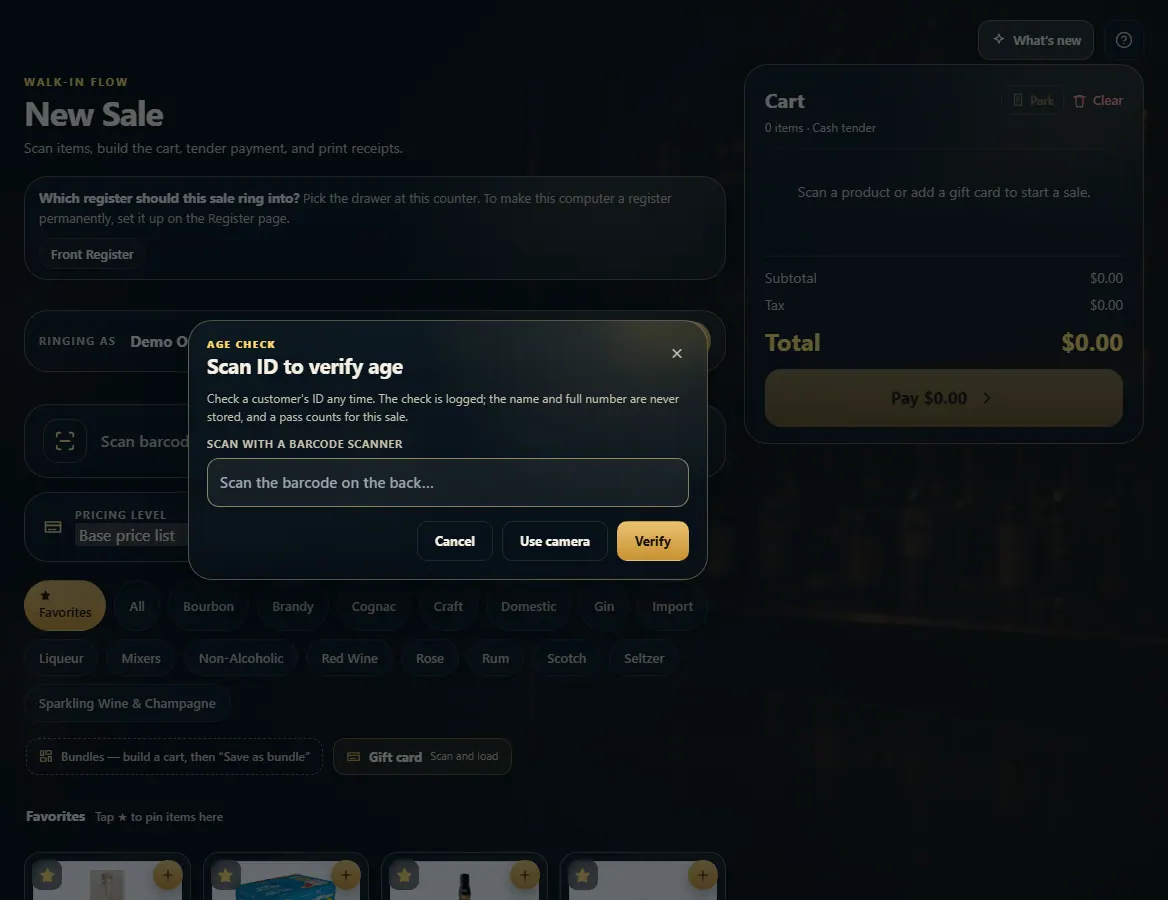 123
123