On the Register page, tell this computer which register it is, count the starting cash, and press Open Register.
A step-by-step walkthrough with real screenshots · FoolProof POS for alcohol retail
Steps
Open Register from the menu.
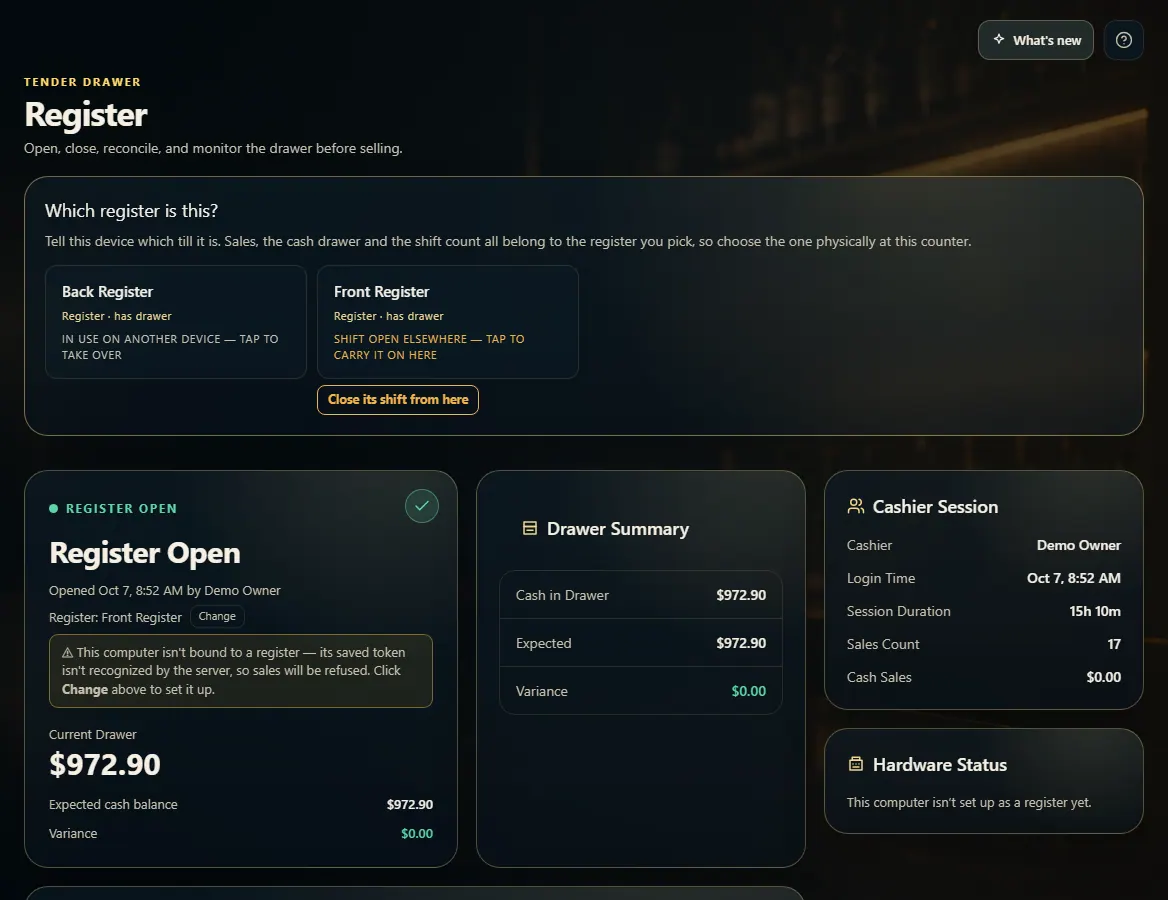
The first time on this computer, pick the register at this counter under "Which register is this?".
Open Count opening drawer and enter how many of each bill and coin are in the drawer.
Press Open Register. The card turns to Register Open and New Sale can take sales.
Good to know
Each computer is asked which register it is only once. Use Change next to "Register:" to switch it later.
A register showing "shift open elsewhere" is still open on another device — close that shift there, or, if your role can close any register, tap it to carry the shift on here or press Close its shift from here.
If no registers are listed, an owner adds one in Admin → Hardware.
A phone or tablet doesn't open a drawer; at New Sale it picks an open register to ring into.
Hardware Status shows whether this register's printer, drawer and terminal are connected.
1. Pick this register
Sales, the cash drawer and the shift count belong to the register you pick, so choose the one physically at this counter.
 12
12