When two products share a barcode, Admin → Merge duplicate products folds them into the one you keep.
A step-by-step walkthrough with real screenshots · FoolProof POS for alcohol retail
Steps
Open Admin and click Merge duplicate products.
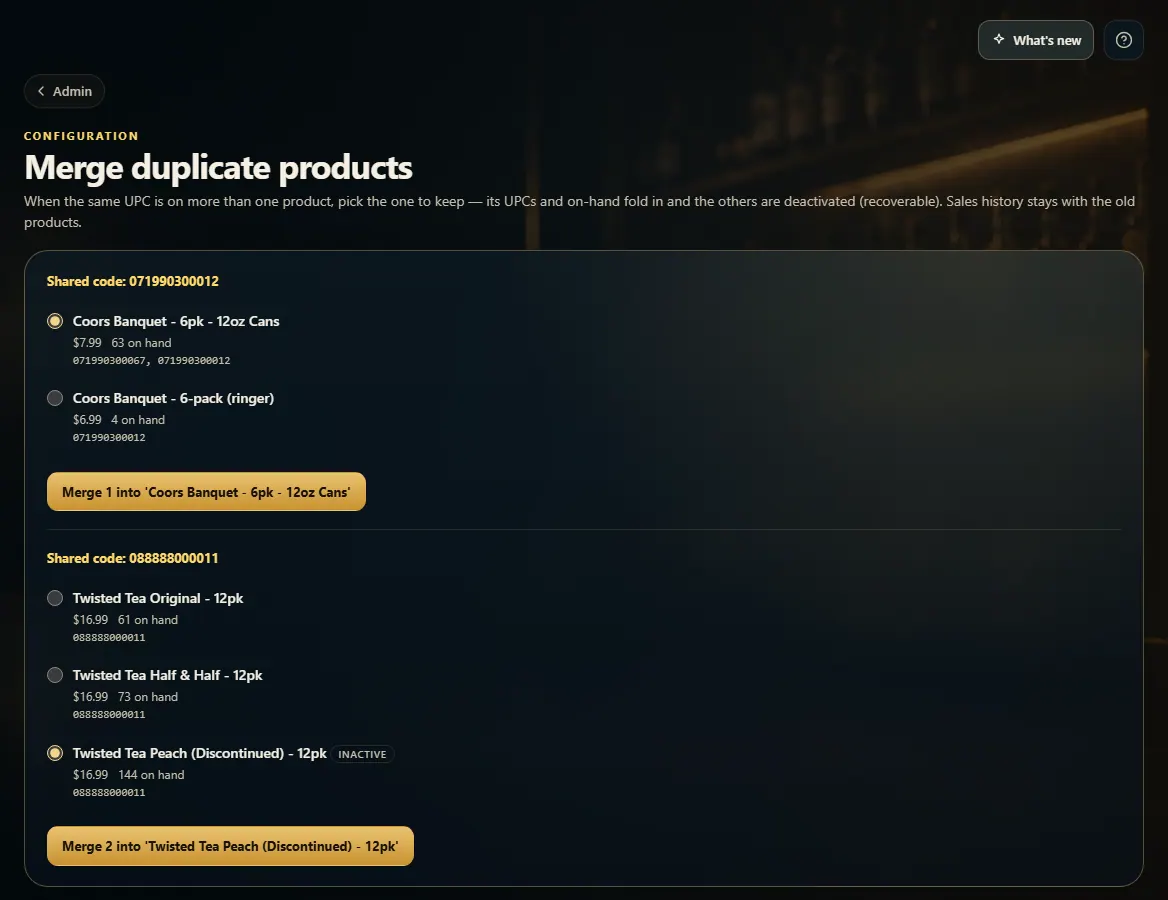
Each group shows products that share one code.
Pick the product to keep.
Click Merge … into '…' and confirm.
Good to know
The kept product gets the others' barcodes and on-hand; the others are made inactive. Sales history stays with the old products.
Not every shared code is a mistake: a store-made ringer pack scans with the single can's barcode on purpose. FoolProof leaves those pairs off this list and won't merge them.
1. Pick the one to keep
Choose the product to keep in each group, then merge. You'll be asked to confirm first.
 123
123