To record who has agreed to hear from you, open the Consent tab, search for the customer, and turn their Email or SMS switch on or off.
Good to know
Every email carries a one-click unsubscribe. A customer who unsubscribes, or whose switch you turn off, is left out of every future campaign.
A switch can only be turned on when that customer has an email (or phone) on file.
Marketing texts only go to customers with a verified 21+ ID on file (the phone carriers' rule for alcohol): a register ID scan on their sale, or ID verification on your online store. Without one the SMS switch stays off and says Needs verified 21+ ID.
Texts are only sent between 8 a.m. and 9 p.m. in the customer's own time zone (your store's when it isn't known); a text sent later waits for the next morning.
Texts are held until an SMS provider is connected; the campaign still records who it would reach. Email sends right away once your store's mailing address is on file (Admin → Business details); wording that reads like an alcohol inducement is held until you confirm it.
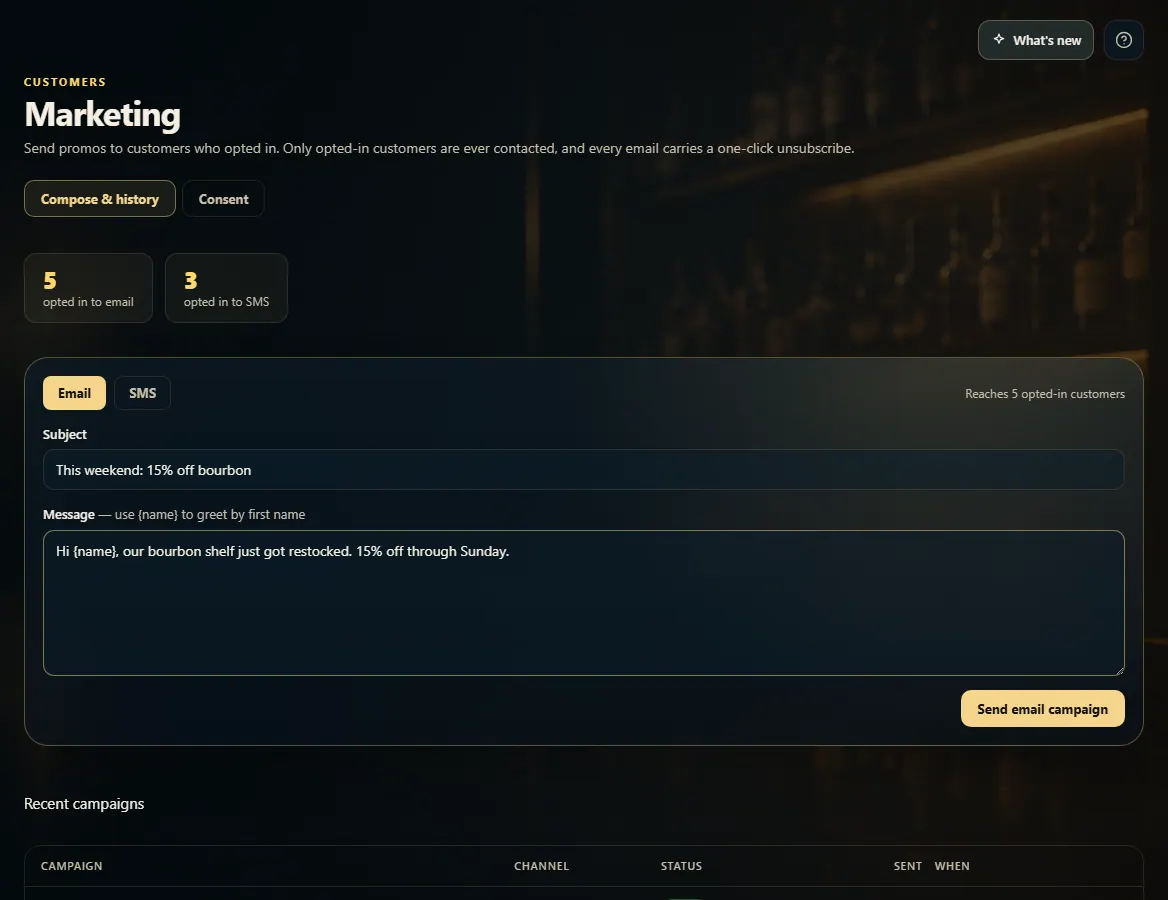
Recent campaigns, below the message, shows each campaign's status and how many it reached.
1. Write and send
Pick the channel, write the message, and send. Only customers who opted in to that channel receive it.
 1234
1234