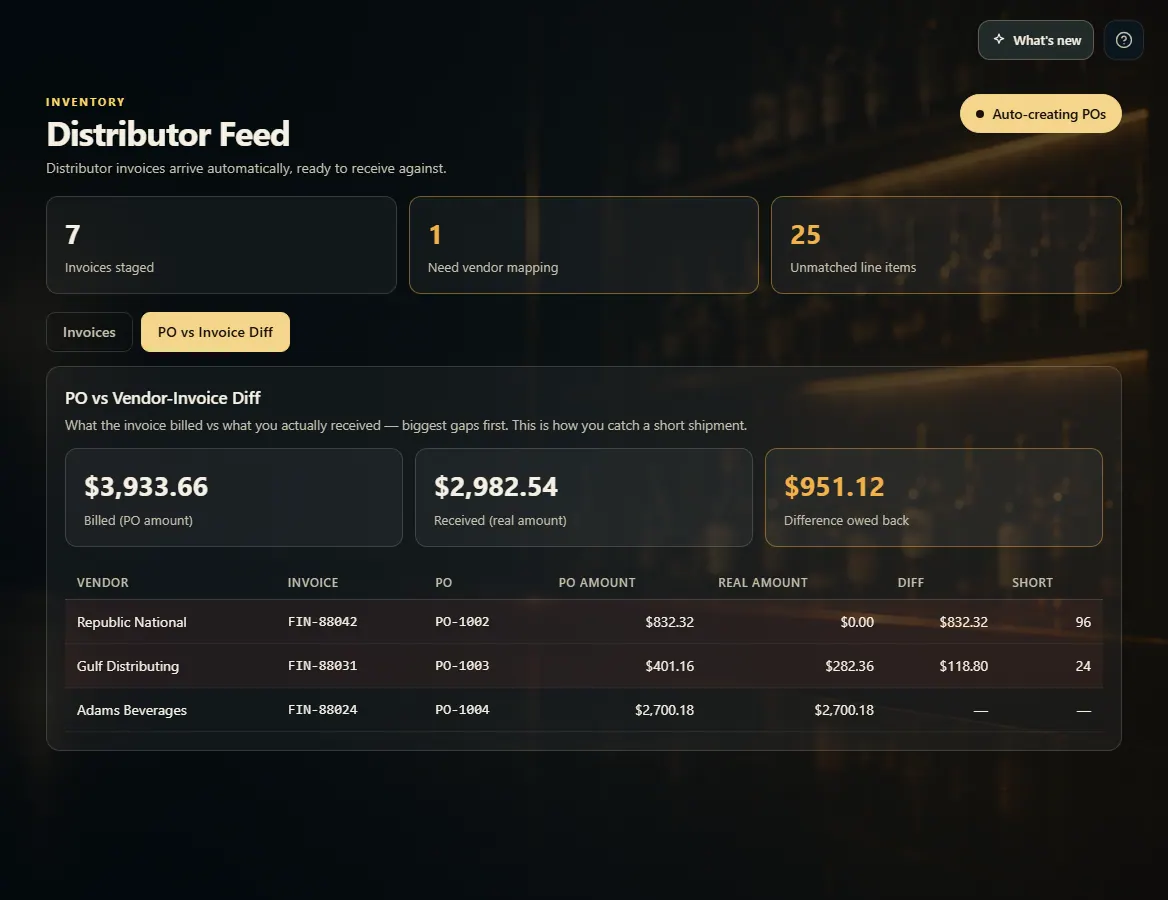
The PO vs Invoice Diff tab on the Distributor Feed compares what each invoice billed with what you actually received, biggest gaps first.
A step-by-step walkthrough with real screenshots · FoolProof POS for alcohol retail
Steps
Open Distributor Feed.
Click the PO vs Invoice Diff tab.
Read the totals: Billed (received invoices), Received (real amount) and Short — owed back.
Check the rows — biggest gaps first, with what came up short in the Short $ and Short units columns.
Click a row to open its invoice and see which lines came up short.
Good to know
Only invoices that created a purchase order appear here.
An order you haven't received yet is marked Awaiting delivery and left out of the totals.
This tab only shows to people allowed to see the distributor report; the dollar columns also need permission to see costs.
1. Billed vs received
Each row is one invoice and its purchase order. A highlighted row was billed for more than arrived — that's the evidence to take back to the distributor.
 123
123